Create the whole video.
Keep the whole vision.
Plan, generate, transform and edit in one connected project. See estimated AI costs in dollars before you run them.
Create a quiet, cinematic launch film about ideas becoming real.
-
 The signal
 -
 The shift
 -
 The reveal
-
One project
Brief, assets, edit and spend together.
-
Every model
Video, image, voice, music and sound.
-
Complete edit
A real multi-track timeline, not a prompt box.
-
Pay as you go
Dollars from a project balance. No tokens.
From first thought
to final cut.
The work moves forward. Your intent stays intact.
-
Shape the idea
Turn a creative brief into scenes, references and a production plan before you generate.
-
Create every asset
Choose the right model for each shot, image, voice, sound and music cue.
-
Build the cut
Bring every result into a precise, multi-track timeline and keep full creative control.
-
Deliver every format
Review, collaborate and render the finished work without rebuilding it somewhere else.
A surreal fashion film where stone becomes fabric.
- Wide
- Detail
- Reveal
The right intelligence
for every move.
Choose through results, not provider dashboards. Latest Effects routes each generation at the best available price.
- Generate image
- Avatar
- Generate video
- Generate music
- Upscale
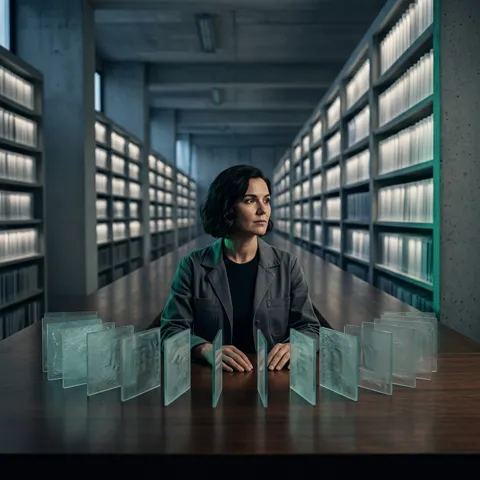
Balance speed, quality, and reference control for everyday image production.
Draws a picture from what it is told, and what it is shown.
- Gemini 3.1 Flash Image
- $0.021 estimated
Deliver higher-fidelity avatar performances with expressive facial detail.
Films the person in a picture saying what they are given to say.
- Kling AI Avatar v2 Pro
- $0.805 estimated
Direct complex multimodal scenes with references, motion, and native sound.
Films a shot from what it is told, and what it is shown.
- Seedance 2.0
- $0.462 estimated
Shape release-ready musical ideas with Suno latest creative model.
Writes and performs a song.
- Suno v6
- $0.07 estimated
Restore detail and temporal coherence in degraded or generated video.
Redraws a clip larger and sharper than it was.
- SeedVR2
- $0.0014 estimated
Your agent works
inside the project.
-
Set the direction
Describe the outcome, constraints and budget in the agent you already use.
-
Follow every decision
The agent plans scenes, selects models and estimates cost directly against the project.
-
Keep creative control
Review the work in Latest Effects, adjust the cut and ask for the next change.
Build three cinematic shots from this reference. Keep visual continuity and stay under $2.
- Analysed reference
- Created shot plan
- Selected best-fit models
- Generating Scene 02
3 scenes ready Add to project
A real editor.
Not another prompt box.
Generative AI gives you material. Latest Effects gives you the precision to turn it into a finished production.
The project keeps
everyone in sync.
Assets, generations, roles and edits stay connected, whether you work alone, with a client or across a creative team.
- References
- Generated video
- NV Noa Vidal
- TL Teo Lorenzo
- IM Ilse Marchetti
Invite member
Teo Ilse “Hold this frame two beats longer.”
No tokens.
Just dollars.
Top up a project, see an estimated cost before each AI operation, and review the final cost when it completes.
- Pay as you go
- Your project balance pays directly for generations and transformations.
- Monthly resource plan
- Storage capacity and access to premium effects and models. AI usage remains pay as you go.
$20.00
Available for AI generation and transformations.
- Top up +$20.00
- Scene 03, Kling AI Avatar v2 Pro -$0.805
- SeedVR2 -$0.0014
- 12 reference frames Gemini 3.1 Flash Image $0.252
- 12 scenes Kling AI Avatar v2 Pro $9.66
- Voice and sound Suno v6 $0.07
- 4 AI transformations SeedVR2 $0.0056
- Estimated AI cost $9.9876
See the finished work.
See what made it possible.
- Image to video
- Generate sound effect
- Lip sync
- Text to speech
- Transcribe speech
- Effect - Cinematic
- Surface Tracking
- Effect - Bad render
- Text to speech
- Transcribe speech
- Effect - Cinematic
- Text to speech
- Transcribe speech
- Effect - Cinematic
- Surface Tracking
- Video Background Removal
- Effect - Neon Wash
- Video Background Removal
- Text
- Effect - Fade In, Slide In From Right
- Audio
- Effect - Datamosh
- Fade Out, Slide Out To Right
- Effect - Blur out
- Fade Out
- Image
- Effect - Glitch In
- Audio
- Text
- Effect - Word Pop
One finished piece becomes proof of the models, transformations and editing decisions behind it.
Built to make
the work flow.
Is Latest Effects a generator or an editor?
Both, and more importantly the production workspace connecting them. Plan, generate, transform and edit without moving the work between tools.
Does Latest Effects use tokens?
No. AI usage is shown and paid in US dollars. Top up a project, see an estimate before running an operation and review its final cost after completion.
What does a monthly resource plan include?
Resource plans cover project storage and can unlock access to premium effects and premium models. AI model usage is still paid from the project balance.
Can I move money between projects?
Yes. Project funds can be transferred between your projects so the balance stays useful where the work is happening.
Can I use AI tools as well as models?
Yes. Upscaling, background removal, captions and AI Transformations can be applied within the same project.
Can an external agent work with my project?
Yes. MCP lets a connected agent understand project context, plan work and place results back into Latest Effects.
Your vision.
One continuous workflow.
Start with an idea. Keep control through the final cut.